Technical Guide · Global
Portrait Photo Laser Engraving: Copyright, Photo Quality & Digital Preview Best Practices for Businesses
September 22, 2026 · 6 min read
Introduction: The Promise and Peril of Portrait Photo Laser Engraving
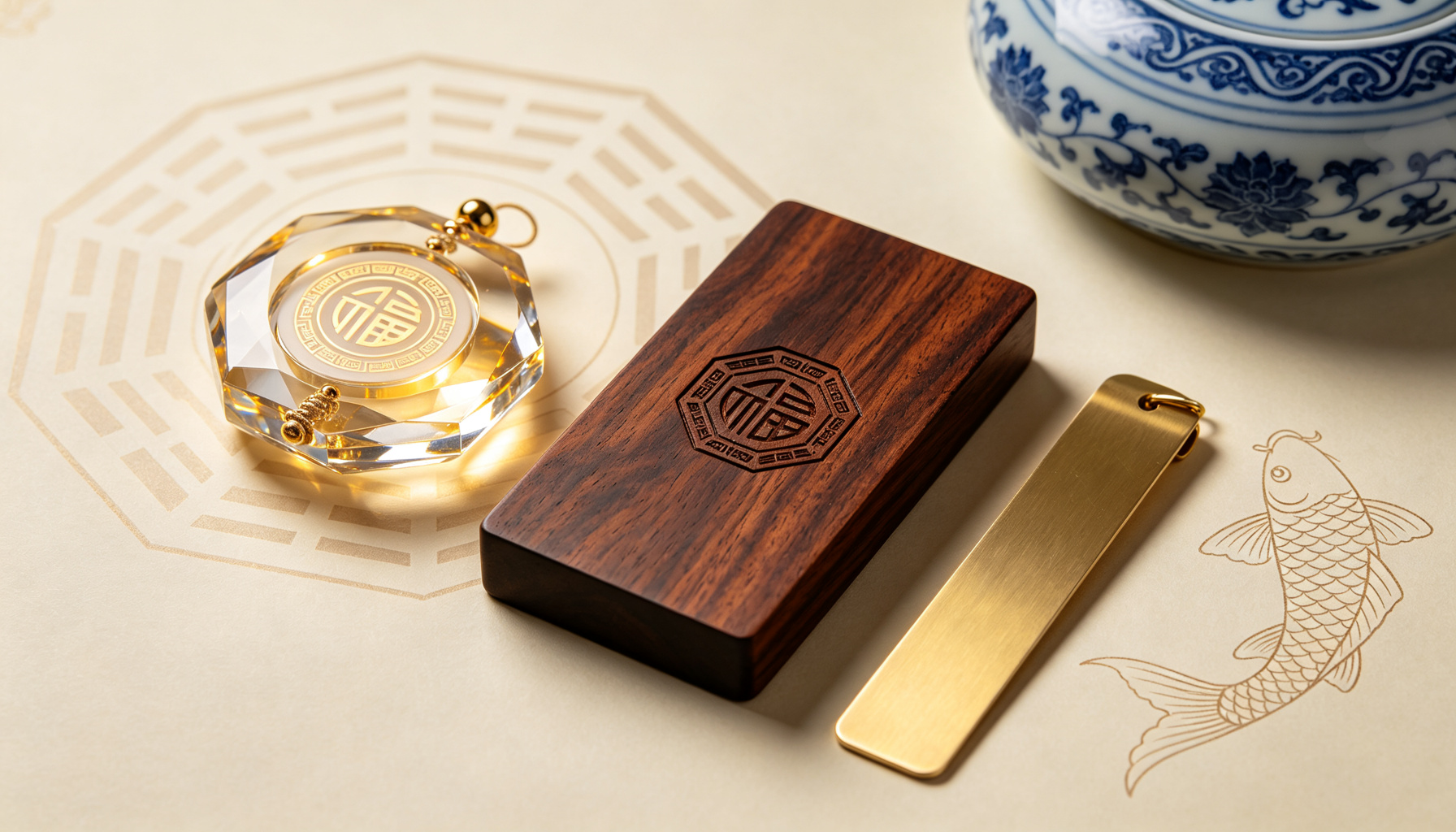
Portrait photo laser engraving is one of the most powerful personalisation technologies available in custom gifting today. It can transform a favourite photograph—of a team, a loved one, a mentor, or a graduating class—into a permanent, luminous artwork embedded inside a block of K9 crystal, or etched with precision onto walnut wood and solid brass. For businesses, this capability opens up extraordinary opportunities: championship trophies with the team photo inside the crystal, study tour graduation keepsakes with the full group portrait, executive retirement gifts with a career-spanning portrait, and VIP client appreciation pieces that feel genuinely personal rather than generically branded.
However, portrait photo laser engraving also introduces responsibilities and technical requirements that simple logo engraving does not. Copyright and portrait-right liability, photo resolution and quality thresholds, digital proof approval workflows, and post-engraving quality expectations all demand careful attention. Getting these wrong can result in legal exposure, disappointing engraving quality, costly reorders, and damaged recipient relationships.
This guide is designed for businesses, procurement teams, and event organisers ordering portrait-engraved custom gifts. It covers copyright responsibility, photo quality requirements, digital preview best practices, and common pitfalls to avoid—drawing on BrandedGiftHub's experience delivering portrait-engraved K9 crystal, walnut wood, and brass gifts to enterprises, sports clubs, and study tour groups worldwide.
1. Copyright & Portrait Rights: Understanding Your Legal Responsibility
The fundamental principle: When you upload a photo, portrait, or handwritten signature for custom engraving, you are asserting that you have the legal right to use that image. The custom gift supplier acts as a manufacturer, not as a copyright adjudicator. This means the legal responsibility for copyright and portrait-right clearance rests with the customer—the organisation or individual submitting the artwork.
Key legal concepts every business should understand:
- Copyright. A photograph is automatically copyrighted by the photographer from the moment it is taken. Using a photo you did not take, or do not have a license for, can constitute copyright infringement—even if you found it on social media or received it via email. Always use photos taken by your organisation's photographer, or photos for which you have a written license or release.
- Right of publicity / portrait rights. In many jurisdictions, individuals have a right to control the commercial use of their likeness. Engraving a person's portrait on a corporate gift and distributing it may require the individual's consent, especially if the gift is used for promotional or commercial purposes. For group photos of employees, team members, or study tour participants, obtain written consent from each identifiable individual or have a blanket consent clause in your participation agreement.
- Handwritten signatures. A person's signature is also protected. Using someone's handwritten signature without their consent can raise both privacy and fraud concerns. Always obtain explicit consent before engraving a person's signature on a gift.
BrandedGiftHub's copyright policy: By uploading photos, portraits, handwritten signatures, or any artwork, customers warrant that they own full copyright and publicity-usage rights for all submitted content. BrandedGiftHub assumes no legal liability for copyright or privacy disputes arising from customer-provided files. We retain the right to decline orders containing infringing, offensive, or unauthorised material. This policy is clearly stated on our website, in our terms, and at the point of upload.
Best practices for businesses:
- Maintain a photo consent and release process for all employees, team members, and event participants whose likeness may be used on custom gifts.
- Keep records of photo source and licensing. For professional photos, retain the photographer's license agreement.
- For group photos, ensure that all participants have consented to the use of their image. A simple clause in event registration or team participation forms can cover this.
- Never use photos downloaded from social media, stock photo sites (without an appropriate license), or third-party websites for engraving.
- When in doubt, consult your organisation's legal counsel before submitting a portrait for commercial engraving.
2. Photo Quality: The Single Biggest Factor in Engraving Success
Portrait laser engraving is a subtractive process that translates the tonal values of a photograph into points of varying density inside the crystal or on the material surface. The quality of the source photograph directly determines the quality of the final engraving. A high-quality photo produces a crisp, detailed, and recognisable engraving. A low-quality photo produces a blurry, indistinct, and disappointing result—regardless of how skilled the engraving technician is.
Minimum photo requirements for portrait laser engraving at BrandedGiftHub:
- Resolution: Minimum 1200px on the shortest dimension. Higher is always better—we recommend 2000px+ for optimal results, especially for large crystal pieces.
- File format: JPG, PNG, or TIFF. RAW files can be converted but are not accepted directly. Avoid heavily compressed files (low-quality JPGs under 500KB).
- Focus: The face(s) must be sharply focused. Blurry faces cannot be corrected through engraving.
- Lighting: Even, front-facing lighting is ideal. Avoid heavy backlighting (which silhouettes the face), harsh shadows across the face, and overly dark or overly bright (blown-out) exposures.
- Composition: The subject's face should occupy a reasonable portion of the frame. Extreme wide shots where faces are tiny will not engrave well. For group photos, ensure each face is large enough to be recognisable after engraving.
- Colour vs. black & white: Colour photos are fine—our engraving process converts them to grayscale tonal values. Black & white photos also work well. What matters is tonal contrast, not colour.
Common photo quality problems and how to fix them:
| Problem | Impact on Engraving | Solution |
|---|---|---|
| Low resolution (under 1200px) | Faces appear pixelated and indistinct | Request the original high-res file from the photographer; do not upscale (upscaling does not add real detail) |
| Blurry focus | Facial features are soft and unrecognisable | Select a different photo from the same shoot where focus is sharp |
| Heavy backlighting | Face is dark with lost detail; background is blown out | Choose a front-lit photo; our team can apply minor contrast adjustments but cannot recover lost shadow detail |
| Group photo with tiny faces | Individual faces are too small to recognise after engraving | Use a closer crop or a different photo where faces are larger; consider engraving only a subset of the group |
| Harsh shadows on face | One side of the face is lost in shadow; uneven engraving | Select an evenly lit photo; minor shadow recovery is possible but severe shadows cannot be fixed |
| Watermark or text overlay | Watermark engraves into the final piece | Obtain a clean, watermark-free version of the photo |
3. Digital Preview (Digital Proof): The Critical Approval Step
For all portrait, group-photo, and signature engraving orders at BrandedGiftHub, a digital preview (digital proof) is mandatory before production begins. This is non-negotiable, and it exists to protect you—the customer—from receiving a final product that does not meet your expectations.
What the digital proof shows:
- A rendered mock-up of your photo, portrait, or signature as it will appear engraved on the actual product shape and material.
- For K9 crystal items: a simulation of the internal 3D engraving effect, including how the image will look when viewed from the front and under typical lighting.
- The position, size, and orientation of the engraving on the product.
- Any minor brightness or contrast adjustments our design team has applied to optimise the engraving result. These adjustments are noted on the proof.
- For multi-element orders (e.g., logo + portrait + text): the layout and relative positioning of all elements.
The digital proof approval workflow:
- Artwork intake & review: Our design team reviews your submitted photo for resolution, focus, and engraving feasibility. If the photo does not meet minimum standards, we will contact you to request a better file before generating a proof.
- Proof generation: We create the digital proof, typically within 2–3 business days of receiving acceptable artwork.
- Client review: You receive the proof via email or your dedicated sales channel. Review it carefully—this is your opportunity to catch issues before production.
- Approval or revision: You may approve the proof as-is, or request up to 2 rounds of minor revisions (positioning, sizing, minor contrast adjustments). Major changes (different photo, different layout concept) may require a new proof cycle.
- Production lock: Once you approve the proof in writing, production begins. No further changes can be made after approval.
How to review a digital proof effectively:
- Zoom in. Do not review the proof only as a thumbnail. Zoom to 100% to check facial detail, engraving clarity, and positioning.
- Check all text. Names, dates, titles, company names—every word. Spelling errors locked in at the proof stage are costly to fix.
- Verify the photo is correct. Confirm that the proof uses the correct version of the photo (not an earlier draft or wrong file).
- Assess contrast and detail. Can you clearly see the facial features? Is the engraving too light (will be faint on the final piece) or too dark (may lose detail)? If unsure, ask your sales representative for guidance.
- Check positioning. Is the portrait centred? Is the logo where you expect it? Is there adequate margin from the edges?
- Review on multiple devices. Check the proof on both a computer monitor and a phone. Colour and brightness can vary between devices, and you want to ensure the proof looks acceptable across screens.
- Get stakeholder approval. If multiple people need to sign off (e.g., your boss, the event organiser, the award recipient), circulate the proof and obtain written approval before confirming with us.
4. Handwritten Signature Engraving: Special Considerations
Handwritten signature engraving is a popular and deeply personal customisation option—ideal for executive gifts, mentor tributes, team captain honours, and commemorative pieces. However, signatures have unique requirements:
- Source quality. The best signature source is a clear scan or sharp photograph of the signature on plain white paper, written with a dark, smooth pen (ballpoint or fine-tip marker). Avoid signatures on lined paper, coloured paper, or with shadows, wrinkles, or background clutter.
- Consent. As noted in the copyright section, always obtain explicit written consent from the signature owner before engraving their signature on a gift. This is especially important for executive and celebrity signatures.
- Stroke thickness. Very thin, faint signatures may not engrave clearly, especially on crystal. Our design team may recommend tracing or thickening the signature for optimal engraving—this will be shown in the digital proof.
- Authenticity. If the signature is meant to be a replica of a specific person's handwriting, ensure the source is an authentic sample, not a font that mimics handwriting (unless a font-based signature is the intended design).
5. Common Portrait Engraving Mistakes & How to Avoid Them
- Mistake: Using a low-resolution phone photo. A 720px selfie may look fine on a phone screen but will produce a pixelated, unrecognisable engraving on a crystal piece. Fix: Always use the original high-resolution file from the camera or photographer.
- Mistake: Skipping the digital proof review. Approving a proof without zooming in or checking details. Fix: Follow the proof review checklist above. Take the time—this is your last chance to make changes.
- Mistake: Assuming all products support portrait engraving. Standard Promotional Gifts (tumblers, tote bags, notebooks) do NOT support portrait or photo engraving. Fix: Only order portrait engraving from the Cultural & Creative Gifts collection (K9 crystal, walnut wood, brass-metal).
- Mistake: Using a group photo where faces are too small. A wide shot of 50 people may engrave as a sea of indistinct dots. Fix: Use a closer crop, or choose a photo where each face occupies sufficient frame area. For very large groups, consider engraving only the leadership group or a representative subset.
- Mistake: Ignoring copyright and consent. Using a professional photo without a license, or a person's portrait without consent. Fix: Maintain a consent and licensing process. When in doubt, consult legal counsel.
- Mistake: Expecting photo-realistic results from engraving. Laser engraving translates photos into grayscale tonal points. It is not a photographic print. The result is a stylised, luminous representation that captures likeness and mood, not pixel-perfect photographic detail. Fix: Review the digital proof carefully—it accurately represents the final engraving style. If the proof looks good, the final piece will look good.
- Mistake: Rushing the order. Submitting a portrait engraving order with a 2-week deadline. Fix: Start at least 6 weeks before your event date to allow for artwork review, digital proof cycles, production, and international shipping.
6. Quality Expectations: What Good Portrait Engraving Looks Like
To set appropriate expectations, here is what a high-quality portrait laser engraving should look like on each material:
- K9 crystal (internal engraving): The portrait appears as a luminous, three-dimensional image inside the crystal, visible from all angles. Under normal room lighting, it is clearly visible; under LED base illumination, it glows dramatically. Facial features are recognisable but stylised—think of a high-quality hologram or 3D x-ray, not a photographic print. The engraving should have smooth tonal gradations, no visible pixelation, and sharp edges where the image meets the crystal background.
- Walnut wood (surface engraving): The portrait appears as a lighter, golden-brown image against the dark walnut surface. Contrast is high, and the image has a warm, organic feel. Fine detail (hair, facial features) is visible but may be slightly softer than on crystal due to wood grain texture.
- Brass & metal (surface engraving): The portrait appears as a precise, sharp mark on the metal surface. Contrast is achieved through the difference between the polished metal and the engraved (matte or darkened) areas. Line-art portraits and simple profiles engrave best on metal; complex photographic portraits may be simplified to achieve clarity.
Conclusion
Portrait photo laser engraving is a transformative technology for corporate gifting, enabling organisations to create deeply personal, lasting keepsakes that preserve faces, signatures, and group memories in premium materials. However, it also demands responsible practices: clear copyright and consent processes, high-quality source photography, careful digital proof review, and realistic quality expectations.
By following the best practices in this guide—obtaining proper rights and consents, submitting high-resolution well-lit photos, reviewing digital proofs meticulously, and allowing adequate lead time—your organisation can unlock the full potential of portrait engraving while avoiding the legal and quality pitfalls that undermine less-prepared orders.
At BrandedGiftHub, our design team reviews every submitted photo for quality, generates detailed digital proofs for your approval, and applies professional contrast and brightness adjustments to optimise engraving results. We support sample orders, tiered bulk pricing, and worldwide door-to-door delivery for all portrait-engraved Cultural & Creative Gifts.
Ready to create a portrait-engraved keepsake for your organisation? Request a Bulk Quote today, and our team will guide you through every step—from photo selection to digital proof to final delivery.
Request Bulk Quote
Low MOQ from 50 pieces, free online logo preview and a costed proposal within 24 hours.
Related corporate gifting guides
- Logo-Only vs Portrait Engraving: Which Custom Gift Fits Your Corporate Event?
Confused between logo-branded promotional gifts and portrait-engraved cultural keepsakes? This guide breaks down use cases, budgets, and when each custom gift type delivers the best ROI for corporate events, client gifting, and team souvenirs.
- How to Choose Custom Corporate Awards for Sports Clubs & Study Tour Groups
Planning awards for a sports club ceremony or study tour graduation? Learn how to select crystal plaques, metal commemorative pieces, and engraved keepsakes that honour teams and preserve group memories.
- The Complete Guide to Bulk Corporate Gift Orders: MOQ, Samples, Lead Time & Digital Proof
Everything procurement managers need to know about bulk custom corporate gift orders: MOQ thresholds, sample ordering, digital proof approval workflows, production lead times, and international shipping timelines.